

Dissecting: Wetland Landscapes - A Guide for Mapping Wetland, Lakes and Rivers

Updated: May 25
by Daniel Jann Cotia
Download lecture
How do we map such change and dynamicity?
We look at Lakes Bato and Baao in Camarines Sur and we saw how their water extents and water levels change drastically along the seasons year after year.

Lakes, Rivers and Wetlands are Dynamic Landscapes.
Water is a highly dynamic land feature with changing extents that influence ecosystems and drive larger hydrological systems. For a country like the Philippines, which faces heavy rainfall and frequent typhoons, understanding how water moves and manifests across our landscapes is essential. This knowledge is crucial for planning our towns and cities, responding to humanitarian crises, and managing our natural resources long-term.
In 2024, Typhoon Kristine plunged the lowlands of Camarines Sur in the Bicol region into floodwaters that spanned the horizon and took three weeks to recede. Along these lowlands, Lakes Bato and Baao act as natural retention basins where water naturally gathers during intense rainfall.
Accounting for the unique and dynamic context of these lake and wetland ecosystems allows planners to appropriately enforce zoning, accurately represent the communities that rely on the lakes for their livelihoods, and reinforce the lakes' capacity as natural retention basins to build regional resilience.
Remote sensing and satellite imagery provide an eye in the sky, allowing us to observe how water interacts with other spatial layers such as land cover, population, and settlements. This gives scientists and planners a solid scientific basis to identify exactly where water is. This piece shares methods for mapping wetlands, lakes, and rivers, with a particular focus on capturing their dynamic character.
Lakes Baao and Bato
Lakes Baao and Bato sit at the middle reaches of the Bicol River Basin, looking like a midpoint between the hydrological action coming from the southeastern uplands in Mounts Mayon, Masaraga, Malinao, and Iriga, flushing out into San Miguel Bay in the north.
Lake Bato is positioned at the upstream end of the Rinconada Lake System. It functions as a natural flood retention basin, collecting excess rainfall and urban runoff before its slow release into a small tributary of the Bicol River. It is also a habitat for the migratory, endemic Sinarapan fish (Mistichthys luzonensis), the smallest commercially harvested fish worldwide.
Lake Baao is notable for its highly fluctuating water extent, with a maximum peak extent of 3,690 hectares and shrinking in the dry season to as low as 550 hectares or 14% (around one-sixth) of its maximum extent. The lake is primarily rain-fed and receives runoff from agricultural lands and river tributaries. During the wet season, its extent allows for fisheries to grow; when water recedes and land is exposed, fishermen shift to farming, and then return to fishing when water comes back. The lake also functions as an irrigation reservoir, which supplies neighboring downstream rice fields during the dry season.
Mapping Dynamic Wetland Landscapes
Day or month-specific water extents: Sentinel-2 via Soar Atlas
Lakes breath. For the case of Lakes Bato and Baao, water extents change across wet and dry seasons. Lake Baao for particular, expands up to 6 times from its dry season extent to its maximum extent in wet seasons.
Soar Atlas is an open repository of (georeferenced) maps. It also hosts access to Sentinel-2 and Landsat-8 imagery, along with 'filters' and band-combinations for easy use, proving to be beginner friendly. It also allows for time-lapse GIF export based on your chosen map extent and dates.
For this study, we chose Sentinel-2, Enhanced Natural color and Water Detection to illustrate the differing water extent across dates.
Datasets to Explore | |
Open-Source Dataset | Sentinel-2 Enhanced Natural Color; Water Detection |
Dataset Type | Raster (TIFF) |
Open-Source Platform | Soar Atlas |
QGIS Processes to Explore | |
Layout Panel | To have a steady extent while visualizing several maps at different dates. |
Reclassify + Polygonize + Attribute Calculator | For: Water Detection Sentinel-2 Reclassify: to differentiate water and non-water. Polygonize: to convert raster into vector, which allows for area measurement Attribute Calculator: Input formula $area to measure area of water polygon. |

Lake Seasonality with Global Surface Water
Item 1 allows us to view lake water extents at a given date and satellite detection. This data can be aggregated by date to clearly define long-term patterns of water extents. Lake seasonality refers to the extent of the lakes at a given month-duration per year. Areas with 12-month water occurrences are inundated even in dry season; for 1-month water occurrences, these are areas that are inundated for only 1 month in a year, typically defining the maximum extent of the lake.
Global Surface Water provides a dataset around water features globally, further offering 6 datasets:
Occurrence: This dataset expresses the frequency with which water was present on the surface relative to the total number of valid observations.
Change: This layer quantifies the increase, decrease, or stability in surface water occurrence between two distinct time periods.
Seasonality 2021: This map shows the intra-annual behavior of water bodies during the year 2021, distinguishing between permanent and seasonal water.
Recurrence: This metric describes the frequency with which water returns to a specific location in years where water was present at least once.
Transitions: This dataset categorizes the specific changes in surface water classes, such as a shift from seasonal water to permanent water or vice versa.
Maximum Extent: This layer represents all locations that have been identified as water at least once over the entire observation period.

For this study, we used Seasonality 2021 to investigate the changing and seasonal water regimes of the lakes, particularly Lake Baao's dry season and wet season maximum extents which fluctuate significantly. The Maximum Extent dataset allows us to delineate a proper shape for the lake, using its maximum extent as the basis. This is relevant for policy and spatial planning that accounts the entirety of the lake, not just its dry season extent.
Datasets to Explore | |
Open-Source Dataset | Seasonality 2021, Global Surface Water |
Dataset Type | Raster (TIFF) |
Open-Source Platform | Global Surface Water |
Remarks | For this study, we used Tile 120E, 20N. The dataset can be downloaded by tile, through an interface in their website. |
QGIS Processes to Explore | |
Clip Raster (by Canvas Extent) | Allows the raster to be clipped (i. e. 'sliced') based on a boundary or canvas extent. |
Polygonize: Seasonality | Polygonize the Raster to transform it into a vector (e. g. shapefile).
|
Attribute Calculator: to calculate shape area | Attribute Calculator helps to calculate the area of shapes. Formula to explore:
|
Datasets to Explore | |
Open-Source Dataset | Maximum, Global Surface Water |
Dataset Type | Raster (TIFF) |
Open-Source Platform | Global Surface Water |
Remarks | For this study, we used Tile 120E, 20N. The dataset can be downloaded by tile, through an interface in their website. |
QGIS Processes to Explore | |
Clip Raster (by Canvas Extent) | Allows the raster to be clipped (i. e. 'sliced') based on a boundary or canvas extent. |
Polygonize: Maximum Extent | Polygonize the Raster to transform it into a vector (e. g. shapefile).
|
Edit Vertex | If you need to find the lakes' extent for policy reasons where you need defined vertices, you may consider manually 'cleaning' the vector shape to remove holes and simplify the overall shape. |
Assessing Typhoons' Flood Impact with Flood Extent data via Philippine Space Agency
The Philippine Space Agency (PhilSA) releases flood extent datasets caused by typhoons or tropical cyclones. These are released by PhilSA shortly after such rainfall events. This dataset allows for use of planners and responders for more accurate, space-based and time-based impact estimates. This also allows for more standardized reference, lessening the need for local planners and researchers to manually search and process datasets needed for flood extent studies.
For the case of the study on Lakes Bato and Baao, we used the flood extent data for October 26, 2024, which is the flood caused by Typhoon Kristine. Visibly, Typhoon Kristine inundated most of lowlands of the Bicol River Basin, where the main channel of the Bicol River, Lakes Bato and Baao and the lowlands surrounding Naga City were affected.


Dataset to Explore | |
Open-Source Dataset | Flooding in the Philippines (by date) |
Dataset Type | Vector: Shapefile |
Open-Source Platform | Humanitarian Data Exchange: The Philippine Space Agency |
Remarks | The datasets come from satellite imageries taken / curated by PhilSA and processed to be ready for viewing and analysis by users as vector data. |
QGIS Processes to Explore | |
[3a] Intersect | Intersect allows to 'slice' the flood extent data by barangay or municipality. Prerequisites: barangay or municipality vector (shapefile).
|
Attribute Calculator: to calculate shape area | Attribute Calculator helps to calculate the area of the resulting flooded area by barangay / municipality. Input Layer: [3a] Flood Extent by Barangay Formula to explore:
|
Measuring Flooded Farmlands (and Other Land Cover) via ESRI Sentinel-2 Land Cover
ESRI published Sentinel-2 Land Cover Explorer, which allows for viewing land cover derived from Sentinel-2 imagery datasets. These classify land cover into: forest/tree, water, flooded vegetation, built area and other land cover classes.

For the case of this study, it explores: how much land cover classes (such as farmlands) is flooded by Typhoon Kristine?
Dataset to Explore | |
Open-Source Dataset | ESRI Sentinel-2 Land Cover |
Dataset Type | Raster Dataset (TIFF) |
Open-Source Platform | Esri | Sentinel-2 Land Cover Explorer |
Remarks |
|
QGIS Processes to Explore | |
[4a] Polygonize | Polygonize the Raster Dataset to produce a vector layer (e. g. shapefile). This allows for further analysis such as measuring area of land cover classes and intersection with other layers such as municipalities, barangays and flood extents.
|
[4b] Intersect: with Flood Extent | Intersect allows to 'slice' the land cover by Flood Extent. It answers the question:
|
[4c] Intersect: with Barangay (or Municipality) | Intersect allows to 'slice' the [4b] flooded land cover by barangay (or municipality). It answers the question:
|
Attribute Calculator: to calculate shape area | Attribute Calculator helps to calculate the area of the flooded land cover classes by barangay (or municipality). It answers the question:
Formulas to explore:
|
ESRI Sentinel-2 Land Cover Classification | ||
Value | Class Name | Description |
1 | Water | Areas predominantly covered by water throughout the year (e.g., rivers, lakes, oceans). |
2 | Trees | Dense vegetation with closed canopy, ~15 feet or higher (e.g., forests, plantations). |
4 | Flooded Vegetation | Vegetation intermixed with water for most of the year (e.g., mangroves, wetlands, rice paddies). |
5 | Crops | Human-planted cereals, grasses, and non-tree agricultural plots. |
7 | Built Area | Human-made structures, impervious surfaces, and major road/rail networks. |
8 | Bare Ground | Areas of rock, soil, or sand with very sparse or no vegetation. |
9 | Snow/Ice | Large, permanent areas of snow or ice (e.g., glaciers, snowfields). |
10 | Clouds | Areas with no land cover data due to persistent cloud cover. |
11 | Rangeland | Open areas covered in homogenous grasses, scrub, or sparse vegetation with no obvious human plotting. |
Counting Flooded Populations via High Resolution Population Density Map by Meta
High Resolution Population Density Map is a fine-grained dataset that is able to identify which locations are settled, as well as a corresponding population density.

For the case of this study, we explore: how much people are directly flooded by Typhoon Kristine? How much people reside in the flooded built settlements?
Dataset to Explore | |
Open-Source Dataset | Philippines: High Resolution Population Density Maps + Demographic Estimates |
Dataset Type | Raster Dataset (TIFF) |
Open-Source Platform | Humanitarian Data Exchange (HDX) data.humdata.org/dataset/philippines-high-resolution-population-density-maps-demographic-estimates |
Remarks | Population Density Estimates is based on year 2020. Raster Dataset from HDX is very large: at least 18GB. |
QGIS Processes to Explore | |
[5a] Clip Raster by Mask Layer: Clip Raster by Flood Extent | Clipping raster by a mask layer: [3] Flood Extent
|
[5b] Zonal Statistics | Zonal Statistics will count how much population are there at a given scale. It answers the question:
|
Contextualizing the Wetland Landscape vis-a-vis the Built Environment through OpenStreetMap Data
How do built environments relate to the wetland landscape? We can use OpenStreetMap data to explore the human context surrounding Lakes Baao and Bato: where are the settlements? are there schools? are there uique land uses / developments?
Dataset to Explore | |
Open-Source Dataset | Open Street Map |
Dataset Type | Vector dataset/s |
Access through QGIS Plugin: | QuickOSM |
Quick OSM Query | |
Buildings | To extract buildings from Open Street Map, use QuickOSM:
|
Rivers, Streams and Waterways | To extract rivers and waterways from Open Street Map, use QuickOSM:
|
Roads | To extract roads from Open Street Map, use QuickOSM:
To extract major roads, you may set layer symbology by road classification. This dataset has column "highway" which classifies roads, from expressways, residential roads to footpaths.
To navigate more about OpenStreetMap data standards, see how roads are classified: Key:highway - OpenStreetMap Wiki |
Schools | To extract schools from Open Street Map, use QuickOSM:
Repeat the process for other values: Other school values:
Key = amenity also has other features like:
Learn more: Key:amenity - OpenStreetMap Wiki |
QGIS Processes to Explore | |
Join Attribute by Location | This process allows to select and 'tag' buildings and amenities that are within another layer. For this example, we could explore:
|
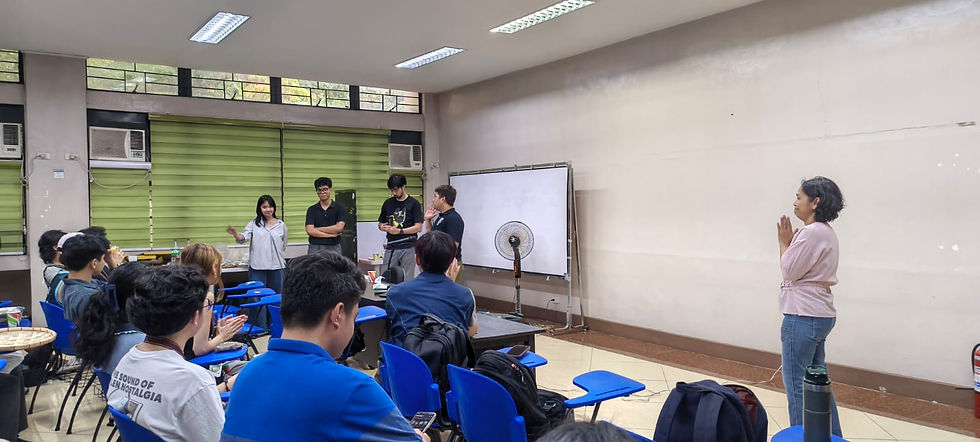
We would like to thank UP Diliman Dept. of Geography for having WTA Labs for their Expert Speak Lecture Series